
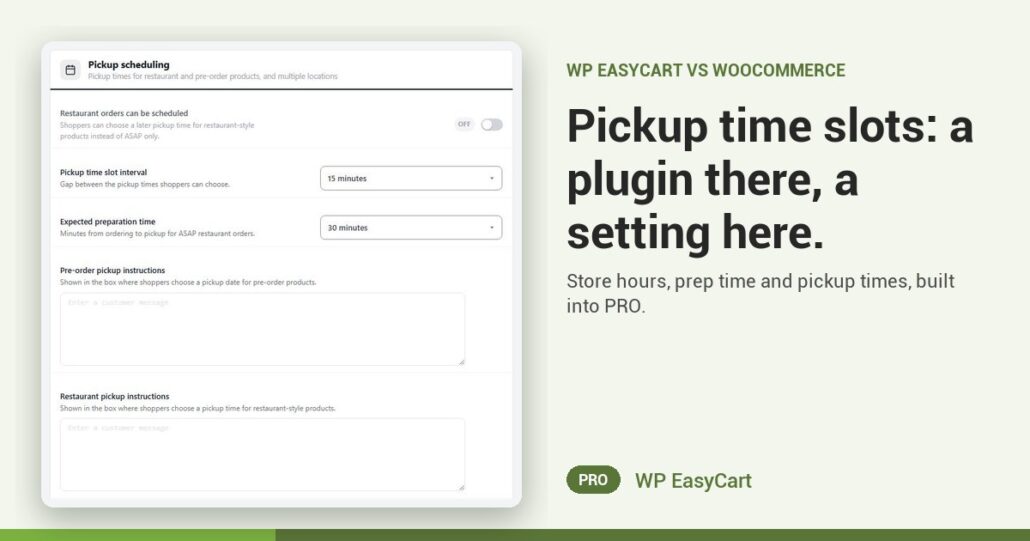
Ten customers turn up at 5pm for orders that are not ready. Nobody told them when to come.
WooCommerce local pickup is a shipping method with a name, a tax status and a cost, as of October 2026. No pickup date. No time slot. For those, its Marketplace sends you to a separate paid extension, Local Pickup Plus. One more plugin to buy, update and keep in step.
WP EasyCart PRO has it in the box. Set your week once in Store schedule, add your holidays, and checkout follows it: closed days and holidays grey out, and the time list shows only your pickup hours.
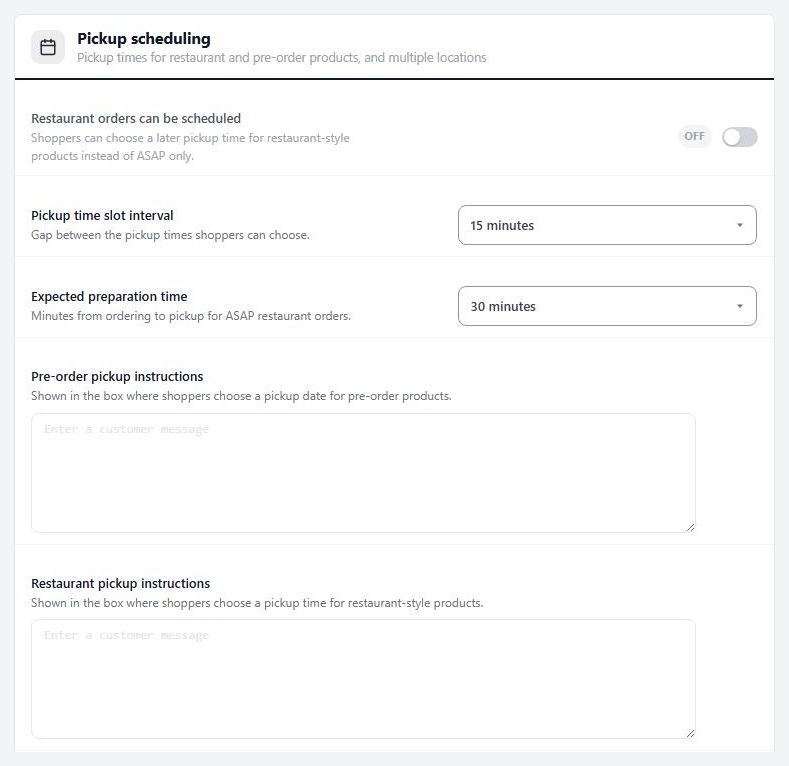
Your hours. Their slot. No rush.
Pickup time slot interval sets the gap between times, from 5 to 60 minutes. Expected preparation time gives an ASAP order a ready time you can meet. Turn on Restaurant orders can be scheduled and shoppers can pick a later time today. Preorders get a date and a time, so the holiday pies go out on the day.
More than one shop? Add Locations, each with its own address and pickup note. On the order screen the Pickup card shows when they are coming, and you can move it if they call.
Where: WP Admin › EasyCart › Settings › Schedule & locations, and Settings › Checkout › Pickup scheduling. Plan: PRO or Premium. See the pickup and restaurant features.
★★★★★ Rated 4.5 out of 5 by 200+ store owners on wordpress.org
“About 4 years ago I switch to Easycart because almost everything that cost extra in woocommerce is included in easycart. It has saved me a lot of money and so easy to use and config.”
— amagicclown, wordpress.org review, April 2026
All in one plugin
One plugin. Pickup on your schedule.
The free trial unlocks pickup scheduling, with payments, shipping, tax and subscriptions in the same plugin. Rated 4.5 out of 5 by 200+ store owners on wordpress.org.