
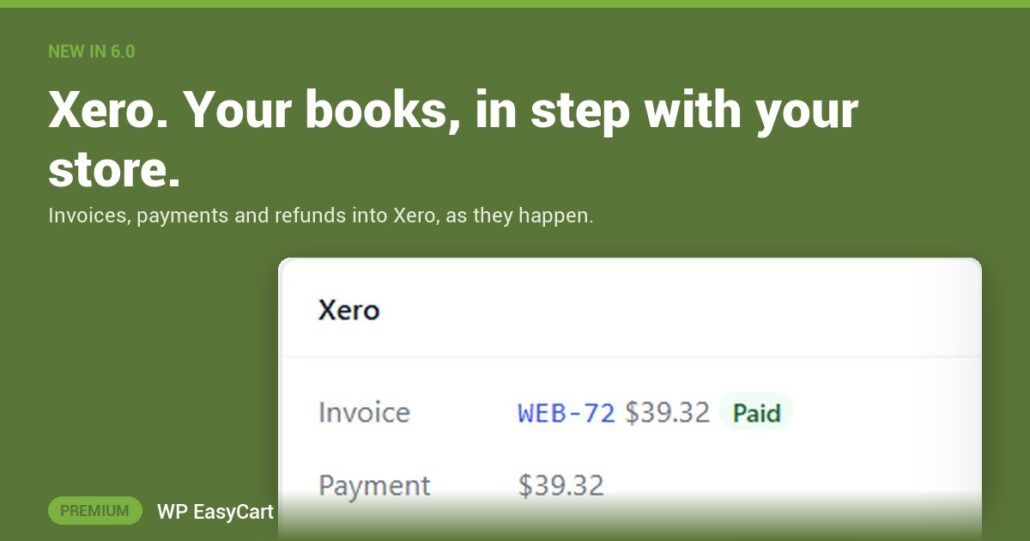
Month end. You export the orders, retype them into Xero, match the Stripe payouts and chase the refunds you forgot. Again.
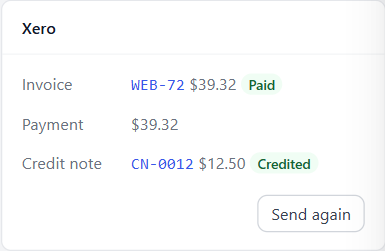
The new Xero extension sends your orders to Xero as they happen. Every order becomes an invoice to the customer’s contact, with its lines, discounts, shipping and the exact tax it charged.
- Payments land in the account you choose for each payment service: Stripe, Square, PayPal or a clearing account, so payouts match your bank statement.
- Refunds become credit notes. A cancelled order voids its invoice.
- Paid in Xero? A bank transfer invoice paid in Xero marks the order paid in your store, and the customer gets their receipt.
Sell. Sync. Reconcile.
Setup is four steps. Install it, press Connect to Xero and sign in on Xero’s own page, check the accounts and tax rates it suggests from your own chart of accounts, then switch on Send orders to Xero. Earlier orders go when you choose, from Tools.
Sending runs in the background, so checkout never waits. If something needs you, the order’s Xero card says why, and so does Activity. Card numbers and passwords are never sent.
Where: WP Admin › EasyCart › Extensions › Xero. Plan: Premium, with WP EasyCart PRO on the site, in WP EasyCart 6.0 and later. See the Xero extension.
WP EasyCart PRO
Close the books without the copy and paste.
Premium is PRO plus every Premium extension, Xero included: payments, shipping, tax and accounting in one plugin. $179 a year or $22.99 a month, cancel any time. Rated 4.5 out of 5 by 200+ store owners on wordpress.org.