
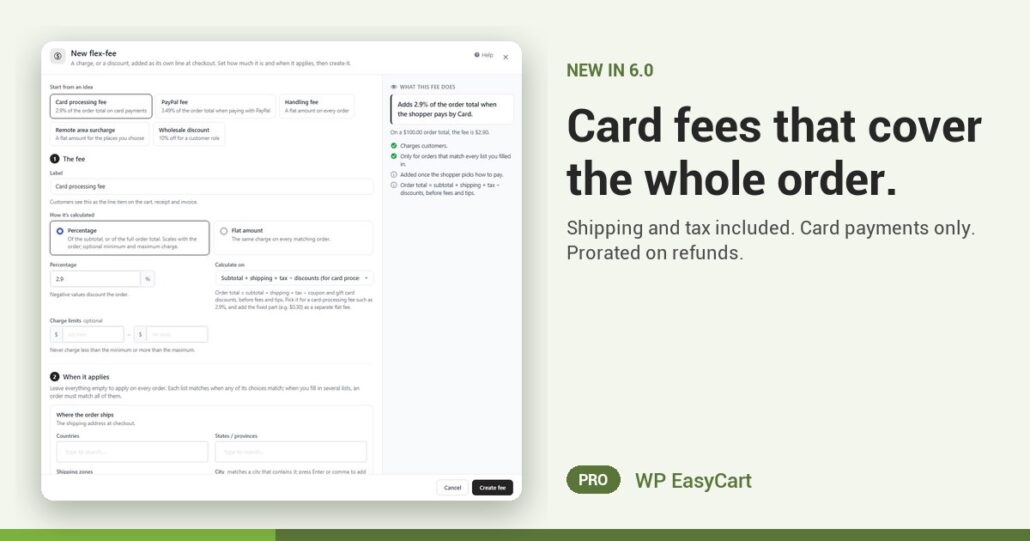
You added a 2.9% card fee. Your processor charged 2.9% on the shipping and the tax as well. The difference came out of your margin, on every single order.
In WP EasyCart 6.0 and later, a percentage Flex-Fee can be worked out on the whole order. Set Calculate on to Subtotal + shipping + tax − discounts and the fee matches what your processor actually puts through: the order total after coupons and gift cards.
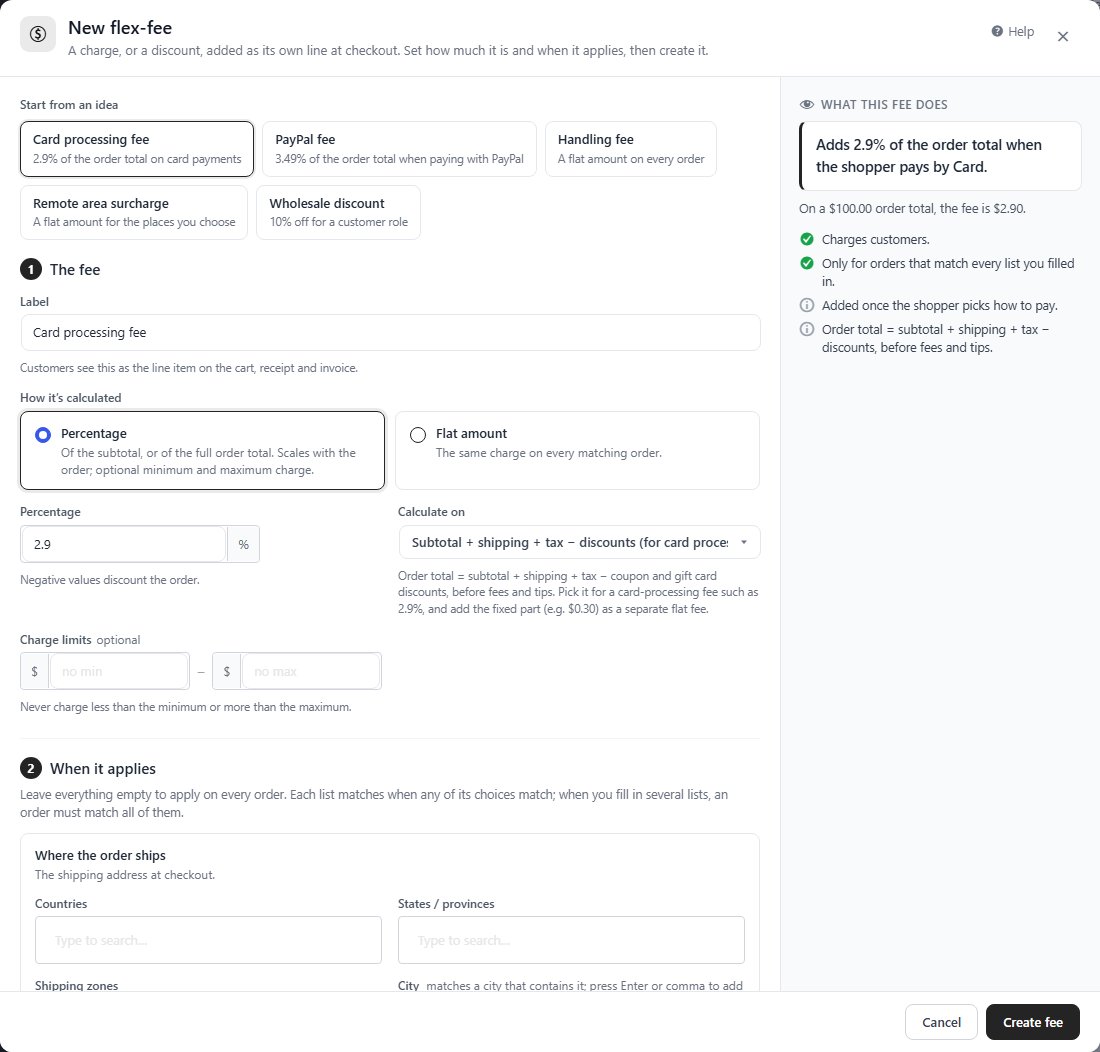
One window. One sentence. Done.
Press Add fee and pick Card processing fee under Start from an idea. The window fills itself in, and What this fee does reads it back in plain words: “Adds 2.9% of the order total when the shopper pays by Card.” Change the rate, add a smallest or largest charge, then Create fee.
The fee only lands when it should. Limit it to Card (incl. Apple Pay, Google Pay) and it is added once the shopper picks how to pay; PayPal, Affirm, Klarna, Afterpay, Amazon Pay and bank transfer can each have their own fee, or none. Pay links for invoices and phone orders follow the same rules.
Refunds stay fair too. Refund half an order and a percentage fee is refunded in proportion, with items, shipping, fees and tax broken out in the refund window.
One honest caution: card surcharges are restricted in some places and by some card network rules. Check yours first, or turn the same tool around: a negative fee is a standing discount.
Where: WP Admin › EasyCart › Settings › Payments & Taxes › Flex-Fees. Plan: PRO or Premium. See every payment feature.
WP EasyCart PRO
Stop paying the card fee on shipping.
Payments, fees, shipping and tax in one plugin, no add-on stack. The free trial unlocks PRO on your own site. Rated 4.5 out of 5 by 200+ store owners on wordpress.org.