
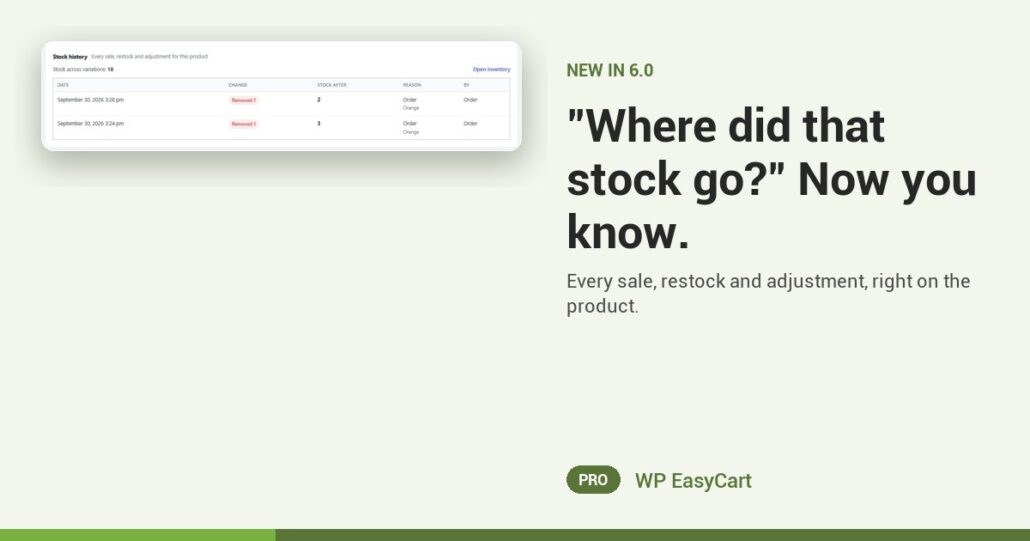
The site says three. The shelf has one. And nobody remembers touching it.
In WP EasyCart 6.0 and later, every product carries a Stock history card. It lists every stock change, newest first: the date, the change (Added, Removed or Set to), the stock after it, the reason, and who or what made it.
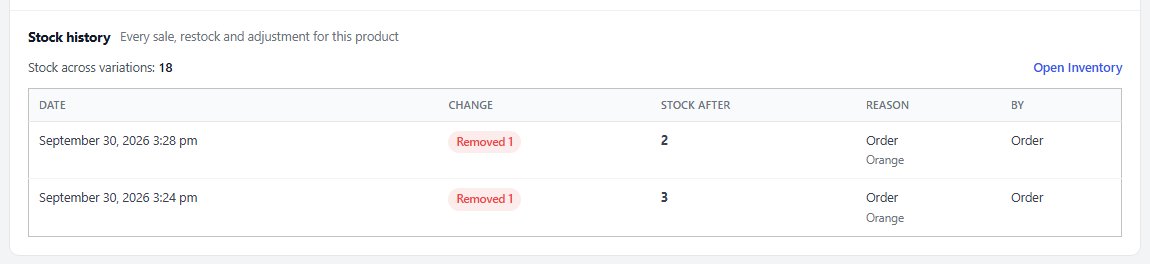
Every unit. Every reason. Every name.
Sales link straight to their order. Track stock per variation and each line names the variation, so you see which colour went, not just that something did. Edits saved from the Variations table are noted Product editor.
Stock that moves outside the admin is caught too: a pay link, a cancelled order, Zapier, or your AI assistant. Nothing slips through quietly.
And it sits on the product itself. When someone asks why the count is wrong, the answer is on the screen you already have open. Show older changes goes further back, and Open Inventory jumps to the same movements across your whole catalog.
It is part of one system: stock, variations, backorders and low-stock alerts live next to your payments, shipping and tax, in one plugin. No inventory add-on to bolt on.
Where: WP Admin › EasyCart › Products › open a product › Inventory. Plan: PRO or Premium (the free edition shows a preview). See every inventory feature.
WP EasyCart PRO
Know where every unit went.
Inventory, payments, shipping and tax in one plugin, no add-on stack. The free trial unlocks PRO on your own site. Rated 4.5 out of 5 by 200+ store owners on wordpress.org.