
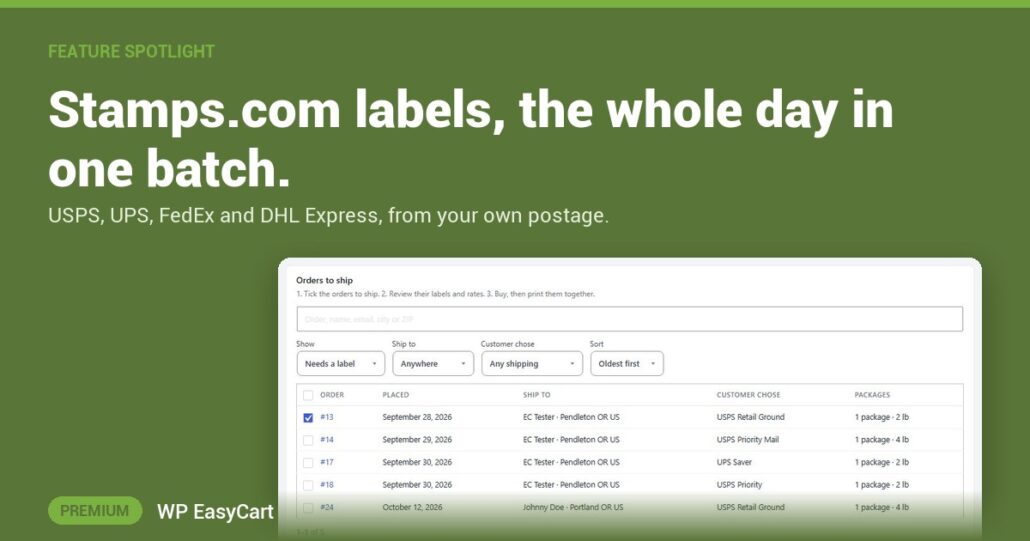
Twenty orders to ship. Twenty times copying an address into another website, then twenty tracking numbers pasted back. That is the afternoon gone.
The Stamps.com extension, rebuilt for WP EasyCart 6.0, buys USPS, UPS, FedEx and DHL Express labels with your own Stamps.com account and postage, without leaving your store. Tracking comes back to each order on its own.
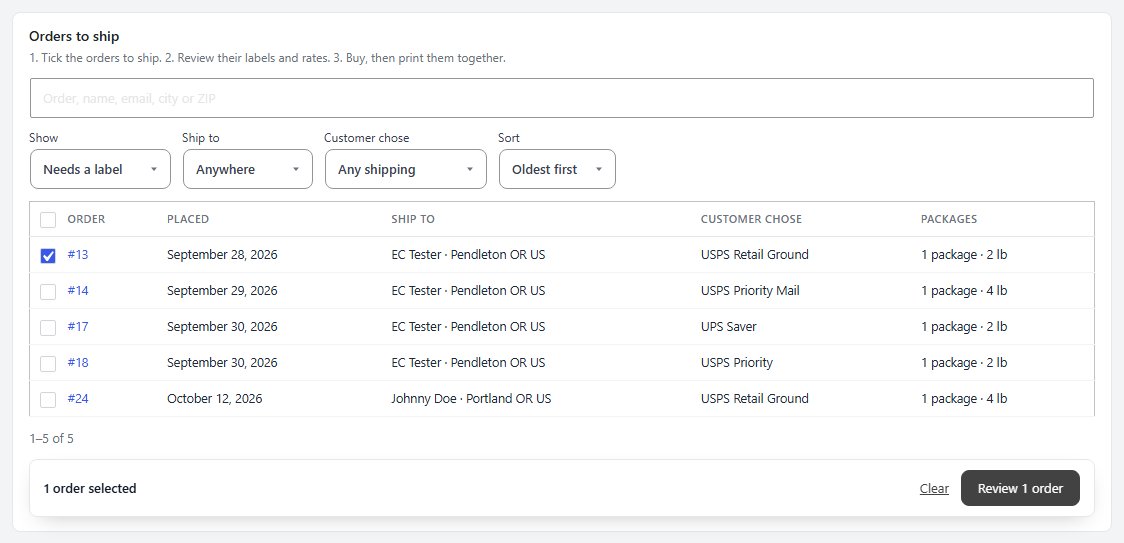
Tick. Review. Print.
- Ship tab: tick up to 100 orders, press Review labels and pick every rate at once: the service the customer paid for, the cheapest or the fastest.
- One button: buy them all, mark the orders shipped and email each customer the tracking link.
- SCAN form: one barcode for the day’s USPS labels, so the carrier accepts every package at pickup.
A single order works the same way from the order screen: Buy label, with insurance, signatures and customs forms for packages leaving the country. A double click never buys a second label. Your postage balance sits on the screen, with a warning before it runs low.
Connecting is one click. You sign in on Stamps.com’s own page, and the store never sees or keeps your password.
Where: WP Admin › EasyCart › Extensions › Stamps.com. Plan: Premium, plus a Stamps.com account on a plan that allows integrations. Showing Stamps.com rates at checkout also needs PRO. Works in WP EasyCart 6.0 or greater. Read the Stamps.com extension guide.
WP EasyCart PRO
Ship the whole day before lunch.
Payments, shipping, labels and tax in one WordPress plugin, not a stack of add-ons. The free trial unlocks PRO on your own site. Rated 4.5 out of 5 by 200+ store owners on wordpress.org.