

WP EasyCart 6.0 is the biggest update in the plugin’s history. It was built with one goal: give small businesses everything they need to sell more, in one plugin, on their own WordPress site.
If you run a store on WP EasyCart today, this is the update to install this week. It is free from your WordPress dashboard. And if you tried WP EasyCart a while ago and moved on, this is the moment to take another look. It is not the plugin you remember.
A new admin. Built for growing stores.
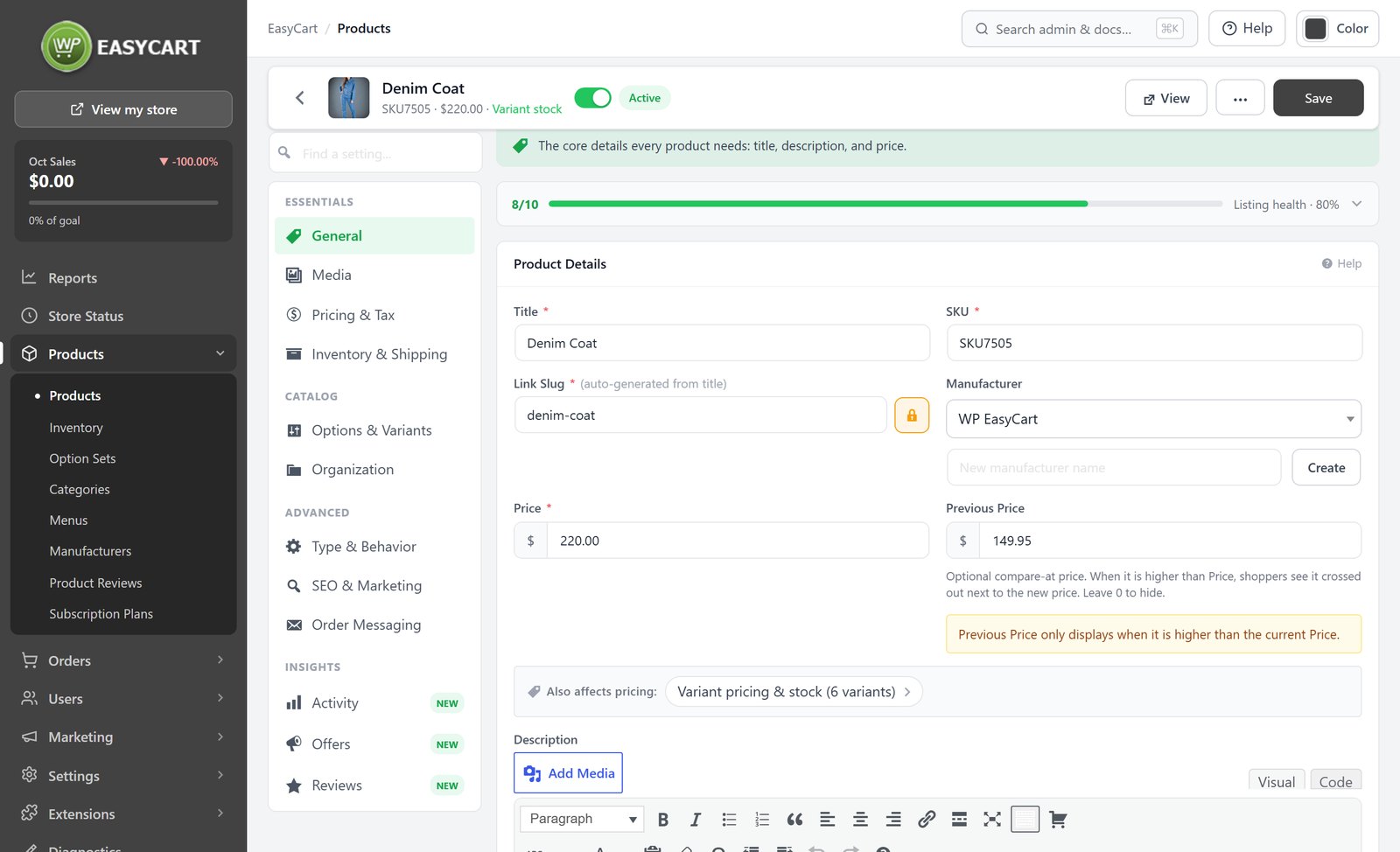
Everything you touch every day was rebuilt: products, orders, customers and settings. It is faster, cleaner and easier to learn, it works on your phone, and it has safety checks everywhere, so a slip of the mouse never costs you an order or a customer.
Less time running the store means more time growing it. Add products in seconds, find any setting by searching for it, and ship orders from one screen built for packing and shipping. It is all in every edition, Free included.
Premium. Built right in.
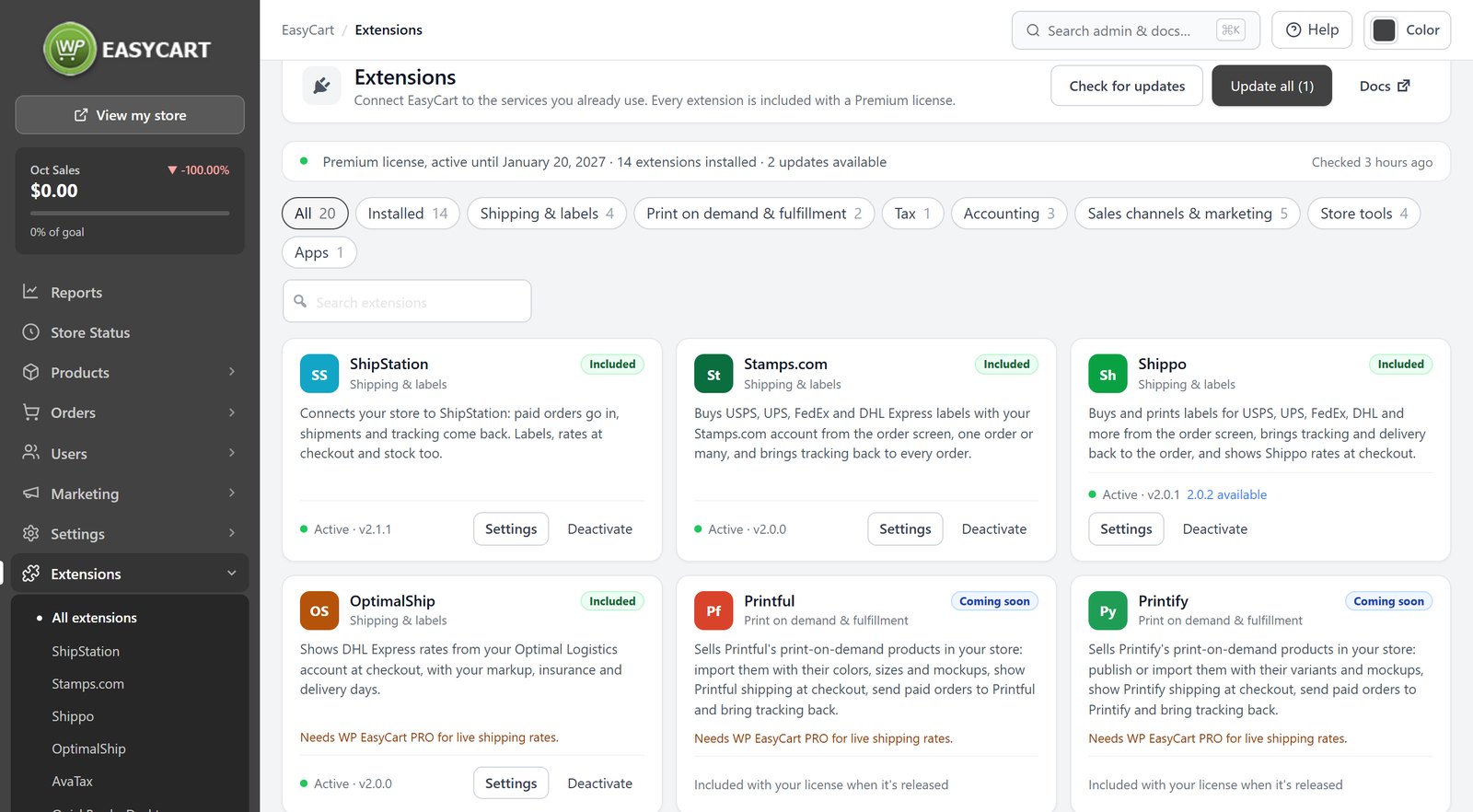
A WP EasyCart Premium license includes every extension: ShipStation, Stamps.com, Shippo, OptimalShip, Avalara AvaTax, QuickBooks Desktop, Facebook & Instagram, Email Marketing, AffiliateWP, BlueCheck, Groupon & Deal Sites, Tabs and WordPress User Sync. Getting them used to mean downloading zip files. Not any more.
- One click to install. On a Premium store, an Install WP EasyCart Premium button appears right in your admin. It checks your license, downloads and verifies the files, installs and activates them, and takes you to your extensions.
- One page to manage them. EasyCart › Extensions shows every extension with Install, Activate, Settings or Update, grouped by job: shipping, tax, accounting, sales channels and store tools.
- Inside the screens you already use. AvaTax sits in Settings › Taxes. ShipStation, Stamps.com and Shippo appear in the order screen’s shipping label window. Tabs live in the product editor. If an extension is not installed yet, an Install button waits on the screen where you would use it.
- More on the way. QuickBooks Online, Xero, Printful and Printify are listed as coming soon, included with a Premium license when they are released.
Already on PRO? The store offers an upgrade to Premium from the same page. Read the extensions guide.
Email, rebuilt. With proof it arrives.
Order email is the part of a store customers notice most when it goes wrong. In 6.0 every store email shares one modern design: a 600px layout that stacks on phones, your logo and accent colour, and addresses written the way each country writes them.
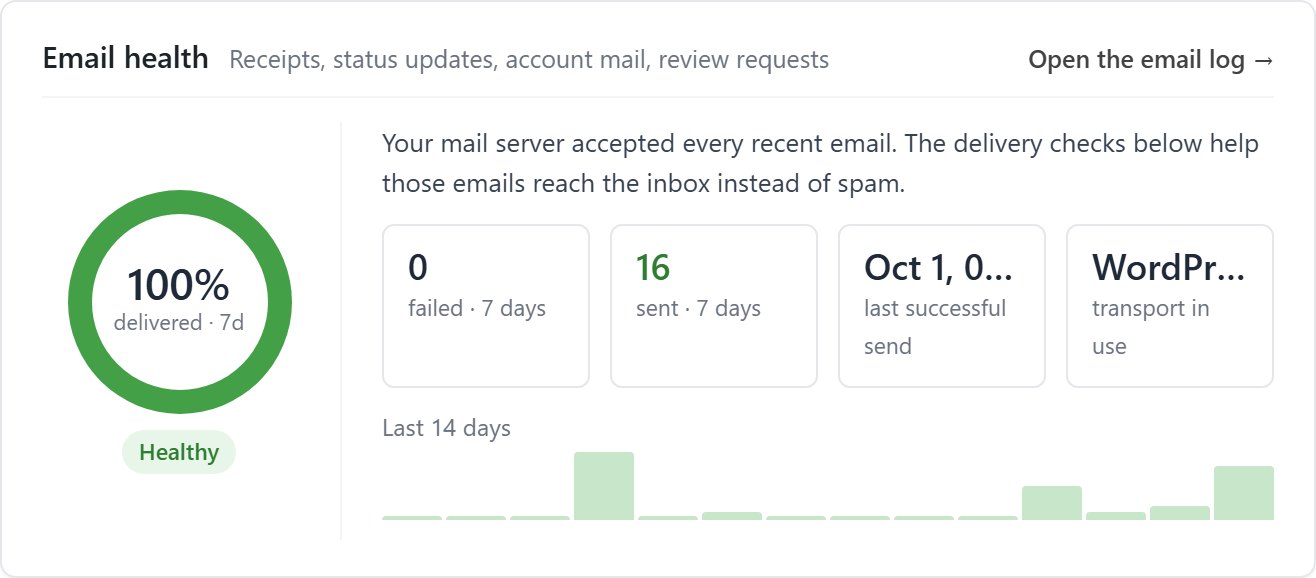
- Check deliverability. The Email health card shows what was sent, what failed and why, and the delivery checks test your SPF, DKIM and DMARC records, with the fix ready to copy into your DNS.
- Log every message. An email log records each send, a retry queue tries again on its own, and the order’s activity shows exactly what went to the customer and what was attached.
- Edit and customise. Settings › Documents shows a live preview of the receipt, shipped email and packing slip built from one of your own orders. Switch parts on and off, edit the wording, and give it your logo and footer.
- Send it your way. One Send Email window on every order lets you preview before sending and change the content, the attachments or the items in the box for that one email.
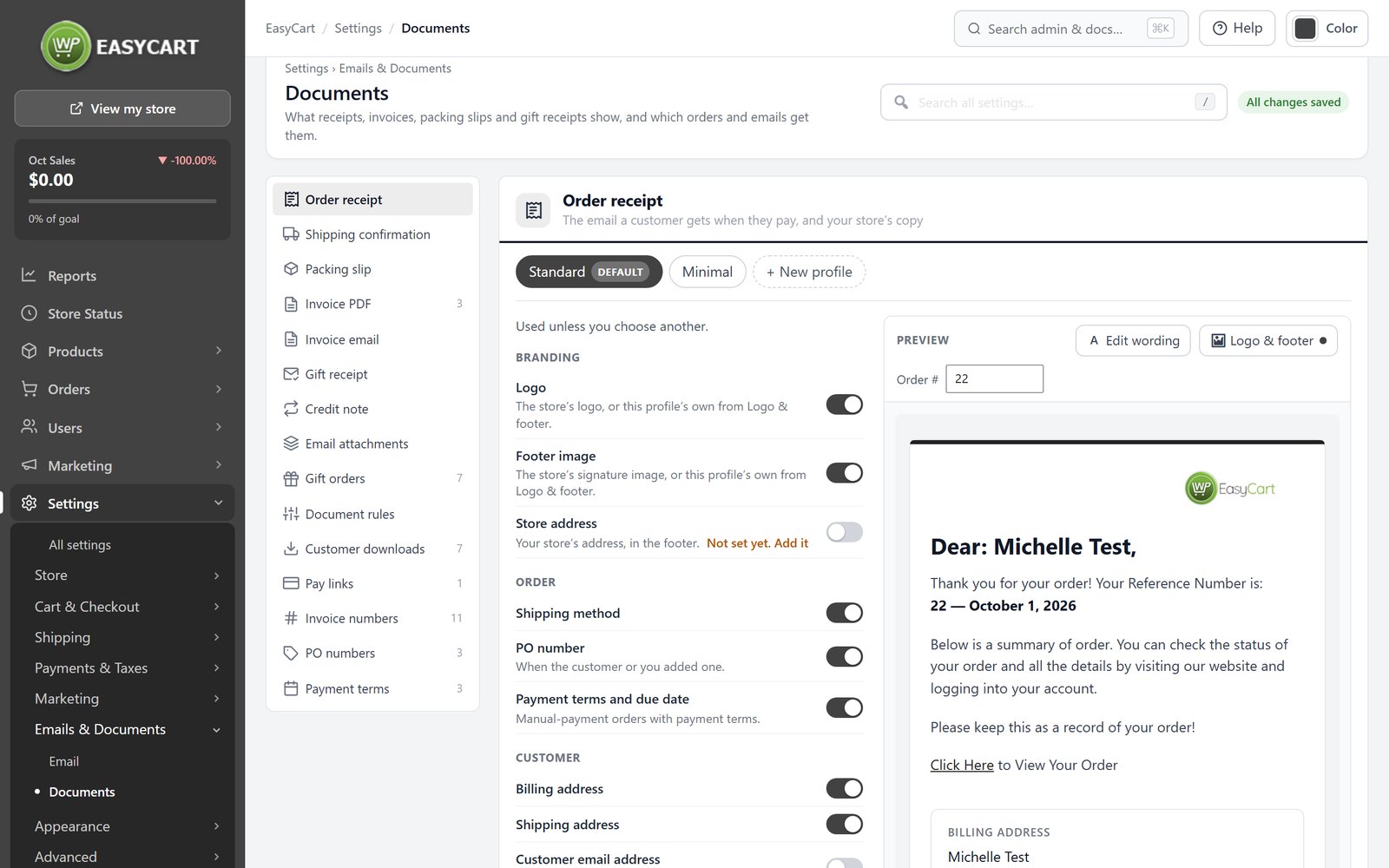
Deliverability, the email design and the Documents preview are in every edition. Extra document profiles and PDF attachments are PRO. Fix order emails going to spam.
Offers that sell. Now even bigger.
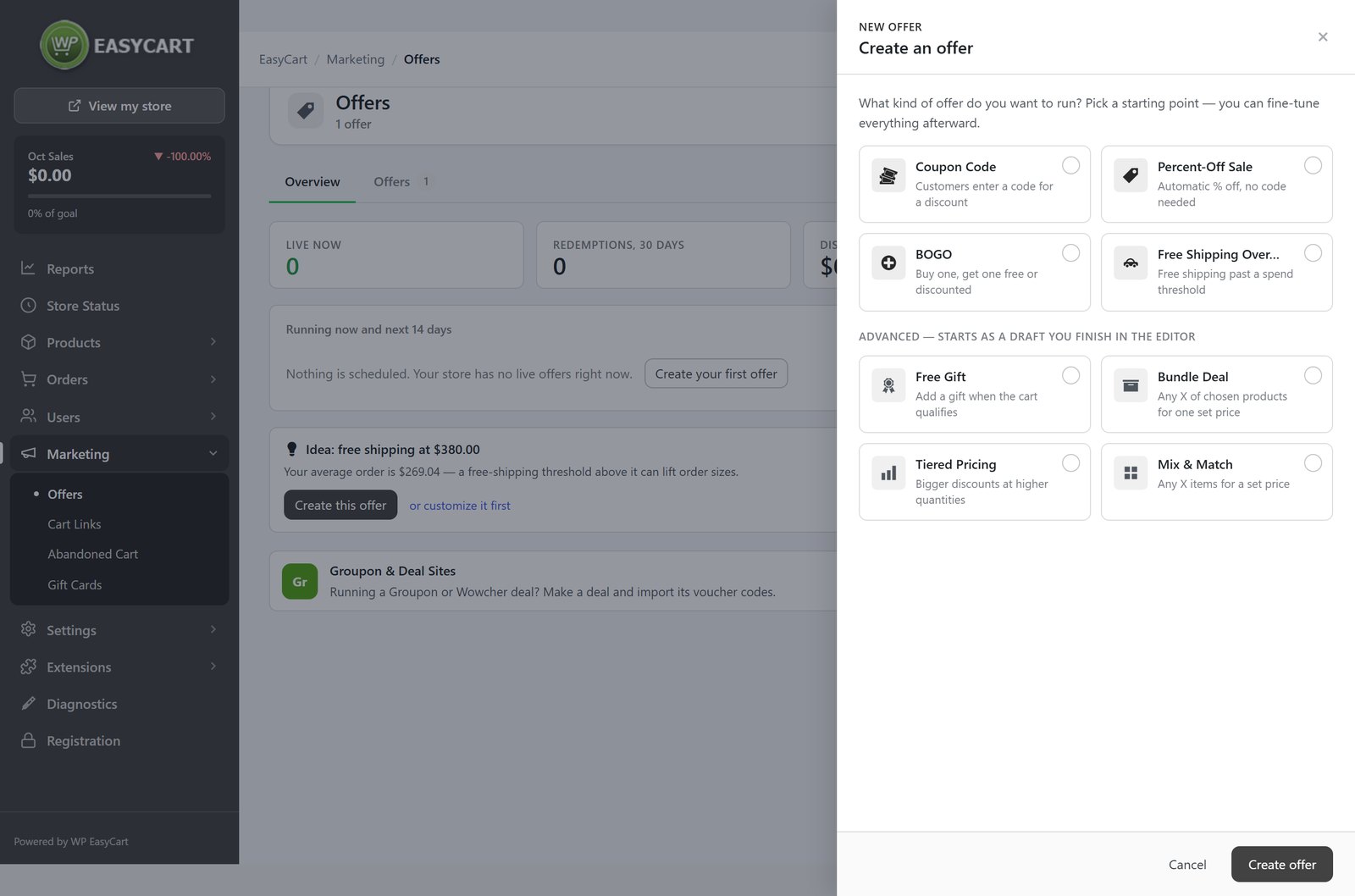
Offers replaced the old coupons and promotions with one place for every deal, and 6.0 gives it far more to work with. Start from a coupon code, a percent-off sale, buy one get one, free shipping over a spend, a free gift, a bundle, tiered pricing or mix and match. Test any offer on a sample cart, and read it back in plain English before it goes live.
- Codes at scale. Generate up to 10,000 single-use codes at once, import or paste your own, export them with the orders that used them, and switch a whole list off in one go.
- Discount subscriptions. A code can take money off the first payment, a set number of months, or every payment, on Stripe subscriptions.
- See what works. Each product has an Offers tab with uses, orders and revenue, a coupon tester that says whether a code applies and why not, and a Codes report shows sales by code.
- Free shipping that adds up. Free-shipping offers now come straight off your live carrier rates at checkout.
Offers are PRO. See how to create coupons and automatic discounts.
Design your store in Elementor.
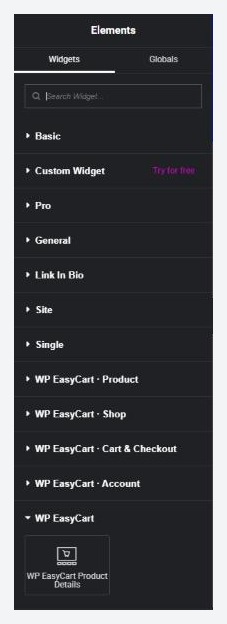
This one grew into the biggest change of all. WP EasyCart now builds its product pages, category pages, cart, checkout and account area with Elementor: around forty store widgets, product and category templates with Theme Builder conditions, a side cart, and dynamic tags that put any store data anywhere on a page. Your store finally looks like the rest of your site.
Elementor store design is PRO. Connect EasyCart and meet the widgets.
Paperwork and B2B. Handled.
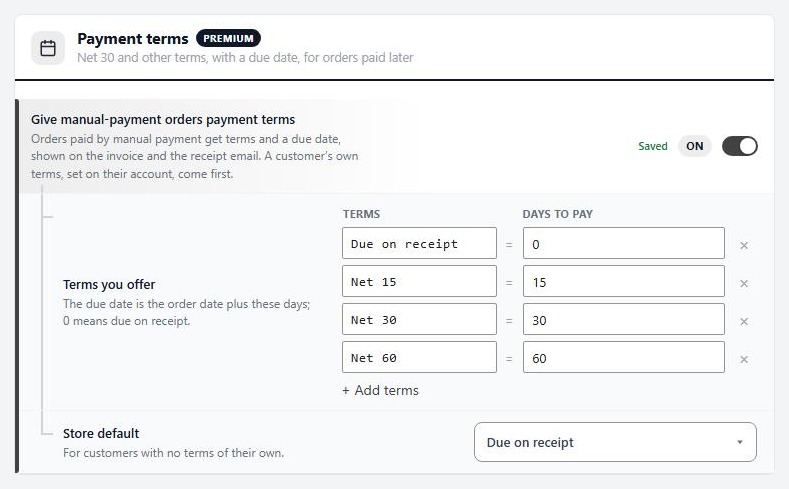
Selling to businesses used to mean doing half the work outside the store. Now invoices get their own numbers, in your format, with a yearly restart if you want it. Approved customers can buy on Net terms with a PO number. Take an order over the phone and send the customer a pay link. Credit notes follow refunds. And document rules pick the right receipt, packing slip and attachments for each order automatically, by customer role, payment, delivery, order total or country.
Shoppers can also send an order as a gift, with a message and a gift receipt that leaves the prices out. These are PRO. Invoice trade customers on Net 30 or take a phone order and send a pay link.
And a long list more.
- Checkout protection, on by default. It stops bots testing stolen cards at your checkout and tightens itself during an attack, with Cloudflare Turnstile or Google reCAPTCHA. Free. How it works.
- One-page checkout is out of beta, with every payment method working on it.
- A new PayTrace gateway, with cards entered in PayTrace’s secure fields.
- Search & AI. Choose how your products appear in Google and in AI assistants, with a Google product feed in PRO.
- Reports with more to say. New report tabs, AI assistants named as order sources, and a weekly summary email.
- Tax, your way. Pick the service that calculates your tax in one place, and Quebec QST is now calculated correctly.
- All-new documentation. Every settings screen has its own page, with step-by-step how-tos alongside. Browse the docs.
Tried EasyCart before? Take another look.
Maybe you looked at WP EasyCart years ago, or ran a store on it and moved to something else. If what stopped you was a dated admin, a stack of add-ons to buy, or email you could not trust, 6.0 was built to answer exactly that. Payments, shipping, tax, email, documents, offers and subscriptions are all in one plugin, on your own WordPress site.
The free edition installs in minutes from wordpress.org, and the free PRO trial unlocks everything above on your own store. If you had a license before, sign in to your account to pick it back up.
★★★★★ Rated 4.5 out of 5 by 200+ store owners on wordpress.org
“In that time, the developers have kept adding features and improving performance. It has always worked well for us.”
— jcomanda, wordpress.org review, November 2023
How to update.
- Take a backup first, as with any major update.
- In WordPress, go to Dashboard › Updates and update WP EasyCart.
- On PRO or Premium, update WP EasyCart PRO too, so both are on the same version. The admin tells you if they are out of step.
- On Premium, press Install WP EasyCart Premium when it appears, then update your extensions from EasyCart › Extensions.
- Open your store admin. The first visit finishes the database update, and Store Status confirms everything is in order.
Using a copied email or packing slip template?
If your theme keeps its own copy of the receipt, shipped email or packing slip template, it keeps working, but the new switches on Settings › Documents do not reach it. The Documents screen tells you if that applies to your store.
Questions about the update, or about moving your store to the new screens? Our support team is available through your account.
Update today. Or come back and see.
WP EasyCart is free on wordpress.org and rated 4.5 out of 5 by 200+ store owners. The free trial unlocks PRO on your own store, so you can try every feature above before you decide.