
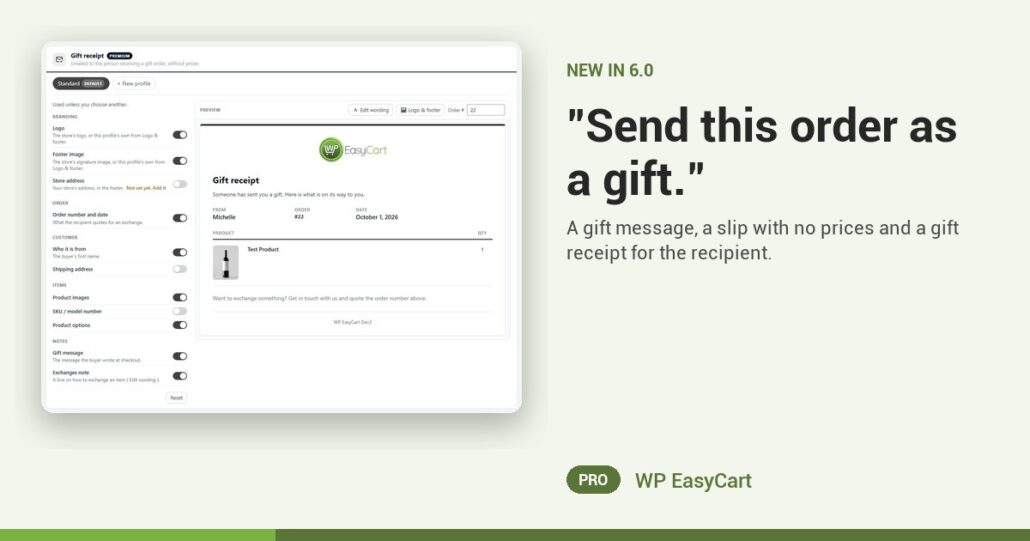
Holiday orders often go to someone else. And the box arrives with a packing slip that tells Grandma exactly what the sweater cost.
Not any more. Switch on Let customers mark an order as a gift and both checkouts show a Send this order as a gift option. The shopper can add a gift message of up to 200 characters. Ask with the shipping address, where they decide who the parcel is for, or just before Place order to keep the first step short.
Message in. Prices out. Smiles all round.
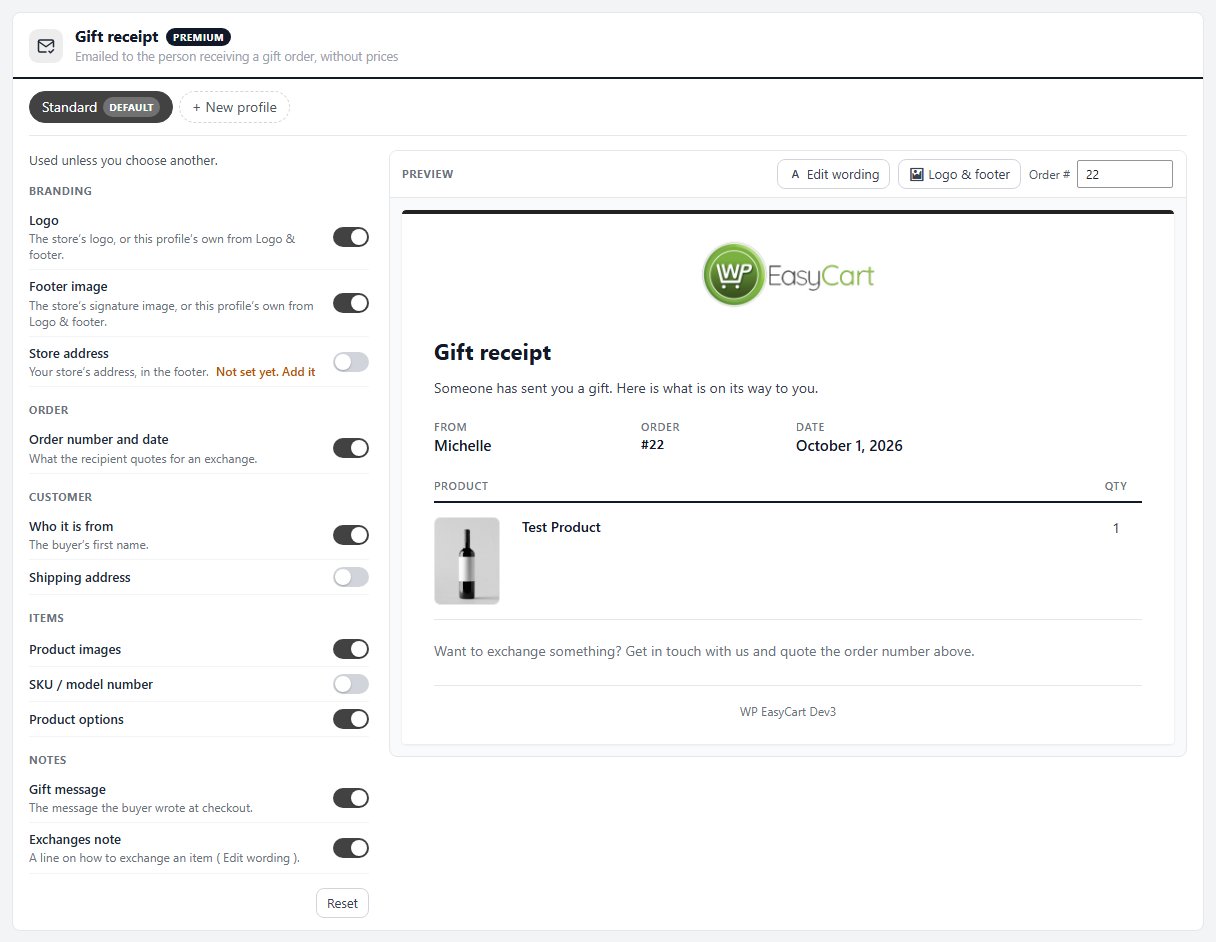
A gift order uses its own paperwork. The built-in Gift packing slip leaves out prices, the billing address, contact details and order notes, and prints the gift message so it goes in the box. The buyer’s own receipt still shows what they paid, and their shipped email uses a gift profile with no prices either.
Turn on Email a gift receipt to the recipient and checkout asks for their email. When the order ships they get a gift receipt: who it is from, the message, what is on its way and a line on how to exchange. It never shows a price. Whoever packs the order sees a Gift order note on the order screen, so the right slip goes in every time.
Where: WP Admin › EasyCart › Settings › Documents › Gift orders. Plan: PRO or Premium, in WP EasyCart 6.0 or greater. Read the document settings guide for every gift switch and profile.
WP EasyCart PRO
Be the store people send gifts from.
The free trial unlocks PRO on your own site. Switch on gift orders, place a test order and print the slip. Gift orders, documents, shipping and payments in one plugin. Rated 4.5 out of 5 by 200+ store owners on wordpress.org.