
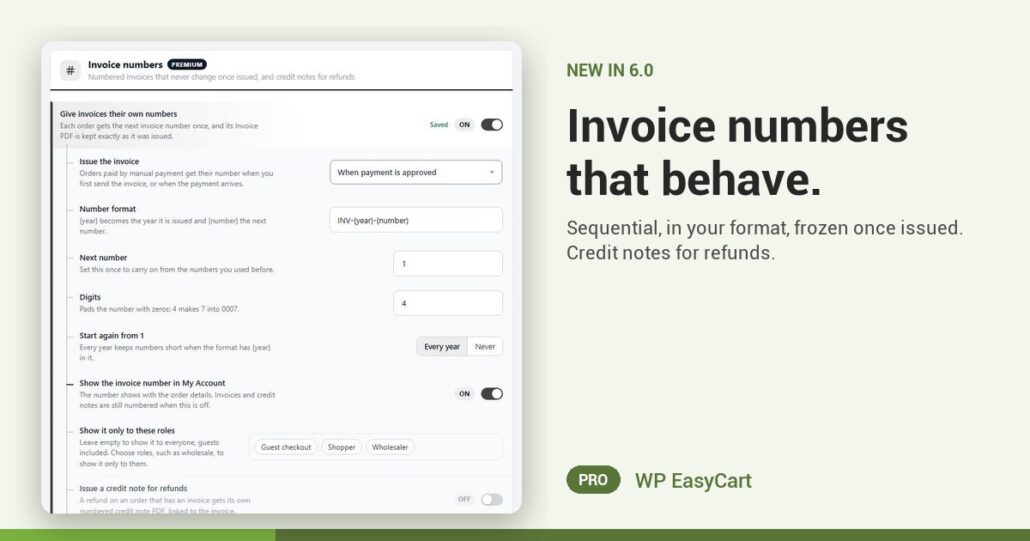
Order numbers skip. Accountants hate gaps. And a reprinted invoice that no longer matches the one you sent is a headache nobody needs.
WP EasyCart PRO now gives invoices their own numbers. Turn on Give invoices their own numbers and each order gets the next number once. Its invoice PDF is kept exactly as it was issued, so a reprint never changes.
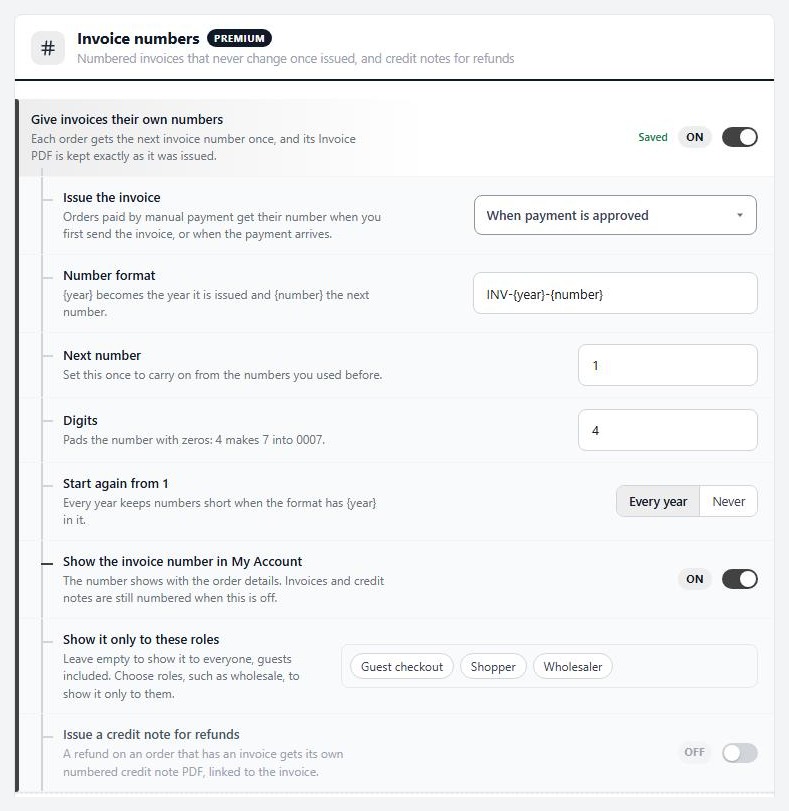
Numbered. Frozen. Filed.
You choose when the number is given with Issue the invoice: when payment is approved, when the order is placed, or only when you send it from the order. The Number format starts as INV-{year}-{number}, and you can make it yours. Moving from another system? Set Next number and carry on from your old sequence. Digits pads it, so 7 becomes 0007. Numbers start again from 1 each year, or never, your call.
Refunds stay tidy too. Switch on Issue a credit note for refunds and a refund on an invoiced order gets its own numbered PDF, linked to the invoice, with a CN-{year}-{number} format. Customers can see their invoice number in My Account, and you can limit that to trade roles.
Where: WP Admin › EasyCart › Settings › Documents › Invoice numbers. Plan: PRO or Premium, in WP EasyCart 6.0 or greater. Read the trade invoicing guide for numbers, terms and credit notes.
WP EasyCart PRO
Send an invoice your accountant will love.
The free trial unlocks PRO on your own site. Set your format, issue a test invoice and see the number stick. Invoices, payments, shipping and tax in one plugin. Rated 4.5 out of 5 by 200+ store owners on wordpress.org.